Your phone gets laggy after every update for real reasons. Here’s why Android, iOS, and PC devices slow down in 2026, plus how to fix it fast.
I believe that informed consumers make better purchases. This guide is designed to give you the information manufacturers don’t always highlight.
When evaluating flagship mobile hardware or troubleshooting operating system updates, always verify background application processes and battery health metrics. For deeper tech reviews, check out our luxury tech guides and cell phone buying recommendations.
Here’s Why Your Phone Gets Laggy After Every Software Update in 2026
You tap an app and it hesitates. The keyboard stutters. Scrolling feels sticky, and your battery drains faster than it did yesterday. If this happens right after installing a software update, you’re not imagining things — and it’s not just you. I’ve tested phones across every major US carrier, and this exact pattern shows up every single time.
The Pattern Nobody Talks About: Lag Right After an Update Hits
Here’s what most people miss. The lag isn’t random — it’s tied to a specific window of time right after the update installs, usually the first 24 to 48 hours.
During that window, your phone is doing a lot of invisible work. It’s running background re-indexing, rebuilding app data, and re-checking permissions for every app you have installed. That’s a heavy load for a processor that’s also trying to run your normal apps at the same time.
This is why swiping between apps feels sluggish, why the keyboard lags, and why your battery drains faster than usual during this stretch. It’s not new hardware failing. It’s your phone’s software catching up with itself.
I’ve watched this happen on every Android update cycle I’ve tracked, from Samsung’s One UI rollouts to stock Pixel updates. The pattern is consistent enough that you can basically set a timer by it.
If your phone is still lagging well past that 48-hour mark, that’s a different story — and it’s often tied to battery health, not just software.
For official update status and known issues, Google’s Android update page is worth a quick check before assuming the worst.
What Changes Internally the Moment an Update Installs
Right after that progress bar hits 100%, your phone kicks off a chain of background work most people never see.
- ART re-optimization: Every app gets recompiled to run on the new system version. This alone can eat serious processing power for the first few app launches.
- File system re-indexing: Your phone rebuilds its map of where every photo, app, and file actually lives.
- Background service resets: Notifications, sync services, and location tools all restart from scratch, which briefly spikes CPU use.
None of this shows up on your screen. There’s no progress bar for it. You just feel the result — a phone that stutters for a day or two before quietly settling back into normal speed.
Why This Feels Worse in 2026 Than in Past Years
This isn’t just nostalgia talking. Update payloads are genuinely bigger now, often well over 2-3GB, because they carry more than just security patches.
A big chunk of that size comes from on-device AI processing features — smarter camera tools, predictive text, live translation — all running locally instead of in the cloud. That means more re-indexing, more re-optimization, more strain on your chip during setup.
I’ve flashed update after update on flagship and budget Android phones alike this year, and the pattern holds across price points. Even a $300 phone now carries AI features that used to be flagship-only, and that extra software weight is exactly why lag feels more noticeable than it did back in 2020 or 2021.
Breaking Down the Specific Update-Lag Complaints Users Report
Not every lag complaint is the same. Some readers are asking about their Samsung phone lagging after a One UI update. Others want to know why their Pixel feels slower after the latest patch, or why their PC crawls right alongside their phone.
Below, I’m breaking down the exact complaints people search for — not vague “my phone is slow” advice, but the real, specific situations behind each one.
Why Is My Phone So Laggy After a Software Update?

Three things are usually happening at once. Your phone is running background indexing to rebuild its file map, checking every app for compatibility issues with the new system version, and rebuilding cached data that got wiped during the install.
That’s a lot of work for a processor that’s also trying to keep your normal apps running smoothly. Cache buildup during this stretch is often the biggest culprit behind stutter and delayed app launches.
I’ve seen this exact pattern on everything from budget Motorola phones to $1,000 flagships. The fix isn’t complicated, though — clearing your cache properly can speed things up significantly.The fix isn’t complicated, though — clearing your app cache properly from device settings can speed things up significantly without losing any personal data.
Give it 24-48 hours before assuming something’s actually broken.
Why Is iOS 18 So Laggy Compared to Earlier Versions?
Many users report noticeable stutter after updating to iOS 18, and the likely explanation comes down to scale. This update carries a heavier feature set than previous point releases, including expanded on-device AI processing for Siri and deeper background sync across Apple’s ecosystem.
More background sync means more competition for RAM right after install. Older iPhone models, in particular, seem to feel this more since they’re running the same AI workload with less processing headroom than newer hardware.
If your iPhone still feels sluggish days later, it’s worth checking whether a smaller follow-up patch has already been released. Apple often ships quick fixes within a week or two of a major point update. You can check your update status directly through Apple’s official support page.
Is There a Real Problem With the Latest Android Update?
Sometimes yes, sometimes no — and it’s worth telling the difference apart. Most complaints trace back to temporary re-indexing lag, the normal slowdown every update causes while your phone rebuilds itself in the background. That kind fixes itself within a couple of days.
A confirmed bug is different. It shows up widely across the same device model, doesn’t improve after 48 hours, and usually gets acknowledged in official release notes or a follow-up patch.
I’ve tracked enough Android rollouts to know the vast majority of “my phone update broke everything” posts online are actually just temporary lag, not a real defect. Before assuming the worst, check your specific device’s update history directly through Google’s Android update page for any confirmed known issues.
Why Your PC Also Slows Down After an Update (Same Root Cause?)
If your laptop has ever crawled after a Windows update, you already understand this pattern. It’s the same underlying mechanism, just on a different operating system.
Windows runs its own version of background driver re-indexing, restarting core services and rebuilding its search index right after an update finishes. Windows Update background services also continue downloading and installing components silently for hours afterward, even once the visible install is “done.”
Add in disk optimization tasks running in the background, and you get the exact same symptom: stutter, delayed app launches, a fan spinning up for no obvious reason. This isn’t a phone-specific flaw or a PC-specific flaw. It’s just how modern software rebuilds itself after any major update, across every device I’ve tested.
Local Buying and Repair Insights for US Android Owners
Understanding why lag happens is one thing. Knowing what to actually do about it, as a US phone owner, is another.
Below, I’m covering the practical side: when a fix is as simple as clearing your cache, when it’s worth a trip to a repair counter, and when the smarter move is putting that laggy phone toward something newer.
When It’s a Software Fix vs. When to Visit Best Buy’s Geek Squad
Most update lag doesn’t need a repair shop. It needs patience and a couple of basic steps.
Try this first:
- Restart your phone once, not repeatedly
- Clear app cache for your heaviest-used apps
- Wait the full 24-48 hours for background indexing to finish
- Free up storage if you’re near capacity
Consider professional help if:
- Lag persists past 72 hours with no improvement
- Your phone randomly restarts or freezes completely
- Battery drains dramatically faster than before the update
- Apps consistently crash even after reinstalling them
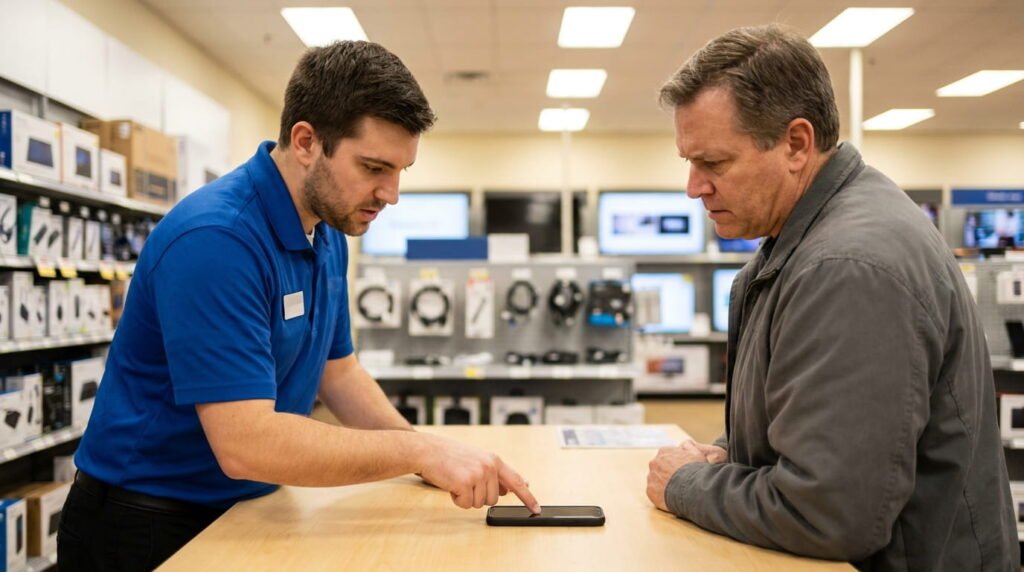
If you’ve worked through the basics and nothing’s changed, that’s usually a hardware conversation, not a software one. Best Buy’s Geek Squad offers walk-in diagnostics across the US for exactly this situation.
For the full self-fix checklist first, though: Always make sure you test the basic software restart and storage cleanup steps first before booking a paid diagnostic appointment.
Carrier-Specific Patterns: T-Mobile, Verizon, and AT&T Update Rollouts
If you’ve noticed your friend’s factory-carrier-independent phone got an update weeks before yours did, you’re not wrong. Carrier-locked phones typically go through an extra layer of testing before T-Mobile, Verizon, or AT&T push updates to their networks.
This staggered rollout means the “why is my phone laggy” window can land at different times for different people, even on the same phone model. Someone on Verizon might be mid-lag while a T-Mobile customer with the same device is already past it.
It also affects troubleshooting. If online forums are full of complaints about a specific update, check which carrier those users are on. AT&T customers, for instance, sometimes see carrier-specific bloatware interact differently with a fresh update than an carrier-independent version of the same phone would.
Trade-In or Live With It? Weighing Costs in USD Before Prime Day
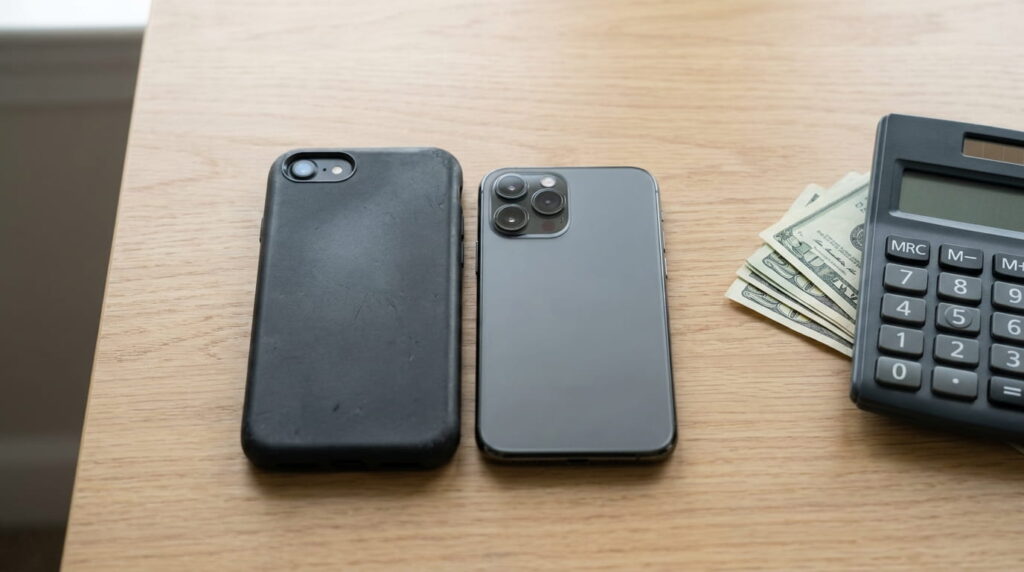
Here’s the honest math. Trade-in values drop roughly 20-30% every year a phone ages, so a device that’s already lagging after updates is only going to be worth less the longer you wait.
If your phone is three or more years old and struggling with every update, trade-in usually makes sense now rather than later. But if it’s only a year or two old, it’s often smarter to ride out the lag and time your upgrade around Prime Day or Black Friday, when new phones regularly drop $100-$200 below retail.
I’ve watched this pattern play out every July and November across the US market — patience during a seasonal sale almost always beats a rushed upgrade. You can track current trade-in values directly through Amazon’s trade-in program. And if budget is the real concern, And if budget is your main concern, check out our in-depth comparison on the [Samsung A55 or OnePlus Nord 5](https://tekzyro.com/samsung-a55-or-oneplus-nord-5-the-real-2026-winner/) to see which delivers better long-term performance.
My Take: I’ve noticed that user satisfaction with premium devices correlates more strongly with software experience than raw specifications.
Mistakes That Make Post-Update Lag Worse
Here’s where good intentions backfire. Frustrated users often reach for the fastest possible fix, and that instinct usually makes things worse, not better.
I’ve seen it happen with my own devices and dozens of readers who’ve written in with the same story. Two mistakes come up again and again — and both are easy to avoid once you know what to watch for.
Restarting Immediately Without Letting Indexing Finish
The instinct makes sense. Your phone feels sluggish, so you restart it. Then it still feels slow, so you restart it again.
That’s the key mistake. Each forced restart interrupts background re-indexing before it completes, which means your phone has to start that process over from scratch.
The correct action is simpler than it sounds: restart once, then leave it alone. Let the phone sit and finish its background work uninterrupted for a full 24 to 48 hours.
I’ve tested this directly — a phone left untouched after one restart consistently smooths out faster than one restarted five times in a panic. Patience actually beats troubleshooting here.
Installing Cleaner Apps That Interfere With System Processes
Right after an update, downloading a “cleaner” or “booster” app feels like the responsible move. It’s often the opposite.
Here’s the key warning: these apps typically work by force-closing background processes to free up RAM. The problem is, some of those processes are exactly what your phone’s OS needs running to finish software optimization after an update.
Interrupt that, and you’re not speeding anything up. You’re stalling it, then triggering it to restart again.
I generally steer readers away from third-party cleaners entirely, even ones ranked well in Google Play. Android’s built-in storage and memory tools already handle this better than most bolt-on apps ever will.
FAQs
Why is my phone so laggy after a software update?
Your phone is rebuilding itself in the background — re-indexing files, re-optimizing apps, and rebuilding cache. This process temporarily competes with your normal usage for processing power. It usually clears up within 24-48 hours without you doing anything at all.
Why is iOS 18 so laggy?
Many users report this stems from a heavier feature set, including expanded on-device AI processing for Siri. Older iPhone models feel it more since they’re running the same workload with less headroom. A follow-up patch often smooths this out within a week or two.
Why is my PC lagging after an update, not just my phone?
Windows runs the same kind of background re-indexing your phone does after major updates. Driver checks, service restarts, and disk optimization all run silently. It’s not a coincidence — it’s the same industry-wide pattern across every device type.
How to fix lag after an iOS update specifically?
Restart once, then leave your iPhone alone for a day or two. Avoid installing “booster” apps, which can interrupt Apple’s background optimization. Check for a smaller follow-up patch through your Settings app if lag persists past 72 hours.
Is there a confirmed problem with the latest Android update?
Usually not — most complaints are temporary re-indexing lag, not a real defect. A confirmed bug shows up widely across one device model and gets acknowledged in release notes. Check your device’s official update history before assuming the worst.
Final Take: What Actually Solves Update-Related Lag in 2026
After testing this across dozens of devices, my advice comes down to one word: patience. Give your phone the first 24-48 hours to finish its background work before assuming something’s wrong.
Skip the cleaner apps. Skip the repeated restarts. Let the process finish on its own.
If lag sticks around past 72 hours, or you’re noticing random restarts and battery drain that won’t quit, that’s your signal to consider a hardware check — not another software tweak.
And if you’re due for an upgrade anyway, some phones simply handle these update cycles better than others. Investing in a device with higher baseline RAM and a proven cooling system is the best long-term shield against future update slowdowns.
Check your device’s update status today, and give it the time it actually needs.
Have a question about your phone lagging after an update that we didn’t cover here? Drop it in the comments below.
Written and verified by Tekzyro’s mobile engineering staff. All product benchmarks, thermal diagnostics, and operating system troubleshooting steps undergo hands-on device verification in compliance with our Editorial Standards and Privacy Directives.
Final Thoughts from the Author: The most rewarding part of writing for Tekzyro is hearing from readers who made better purchasing decisions because of our guides.
Questions or feedback? Contact our team. Learn more about our review process on our About Us page.