You’re standing at the checkout line, phone in hand, ready to tap and pay. Nothing happens. You try again. Still nothing. That sinking feeling when Touch ID suddenly refuses to recognize a finger it’s read a thousand times before isn’t just annoying — it’s genuinely disruptive.
I’ve spent weeks researching the luxury tech market, and what I found genuinely changed how I think about high-end gadgets.
This isn’t some rare glitch either. Walk into any Apple Store on a Saturday afternoon and you’ll likely spot at least one frustrated customer describing this exact scenario to a Genius Bar rep.
Here’s what makes this a narrow, situational problem rather than a full-blown device failure. Most of the time, it’s not your Secure Enclave chip dying. It’s a software hiccup, a stubborn screen protector, or a fingerprint profile that got corrupted somewhere along the way.
I’ve tested this firsthand across a handful of iPhone models running the latest iOS builds, and the pattern is consistent. One day Touch ID works flawlessly. The next, it locks you out entirely, forcing a passcode entry for something that used to take half a second.
The good news? This specific failure mode responds well to targeted fixes — no repair shop required in most cases.
What “Suddenly” Really Means in Touch ID Failures
There’s a real difference between Touch ID vanishing overnight and it slowly getting worse over months. Knowing which one you’re dealing with saves you a lot of guesswork.
- Instant failure usually means Touch ID worked perfectly yesterday and just stopped today — no warning signs. That’s almost always software-related, not a dying sensor.
- Intermittent recognition, on the other hand, creeps in gradually. You’ll notice more failed attempts before it works, or it only recognizes your finger at certain angles.
Quick self-check:
- Did it stop working all at once, right after an update or restart?
- Has it been getting progressively less reliable over weeks?
- Does it fail only with wet or cold fingers, but work fine otherwise?
If it’s the first one, the fix is simpler than you think.
Breaking Down the Real Reasons Touch ID Stops Responding
Not every Touch ID failure has the same root cause, and lumping them together is where most troubleshooting guides go wrong. Some cases trace back to a buggy iOS update — something Apple documents in its own software release notes. Others come from a sensor that’s simply worn out or blocked by something as small as a cracked screen protector.
Then there’s the trickier scenario — your whole system behaves sluggishly or restarts unexpectedly after an update. If your device has also been acting slow lately, check out our troubleshooting guide on why phones get laggy after updates.
Most Common Triggers:
- iOS update bugs: A buggy point release can temporarily disrupt biometric authentication until Apple pushes a patch.
- Secure Enclave errors: This dedicated security chip stores your biometric hashes separately from iOS. When it glitches, Touch ID fails instantly even if apps run fine.
- Screen protector interference: Thick, misaligned, or cheap tempered glass can physically improve your finger away from the capacitive ring.
- Moisture or thermal throttling: Sweat, humidity, or severe overheating can confuse capacitive sensors. If your phone frequently heats up, read our guide on how to stop your phone from overheating.
📊 Touch ID Diagnostic & Fix Matrix
| Symptom / Cause | Primary Fix | Difficulty | Estimated Cost |
|---|---|---|---|
| Glitch After iOS Update | Full Hard Restart & Update Cache Flush | Easy | $0 |
| Corrupted Fingerprint Data | Delete saved prints & Re-enroll with angled scans | Easy | $0 |
| Dirty Sensor / Moisture | Microfiber swab with 90% Isopropyl Alcohol | Easy | $0 |
| Thick Screen Protector | Remove tempered glass & realign | Moderate | $5 – $15 |
| Hardware Digitizer / Flex Cable Tear | Apple Authorized Screen / Button Assembly | Advanced | $80 – $250 |
How to Fix an Unresponsive Touch ID Sensor (Step-by-Step)
Before booking an expensive repair appointment, run through these proven sequential steps:
- Restart your iPhone completely: Do a full hard power cycle rather than just locking the display to reset background daemon processes.
- Remove the screen protector: Especially if it’s a thicker edge-to-edge tempered glass. Test Touch ID immediately after removal.
- Check for pending iOS point updates: Go to Settings > General > Software Update to see if Apple issued a biometric hotfix.
- Clean the sensor ring: Gently wipe the home button and surrounding capacitive brass ring with a dry microfiber cloth to remove skin oils and micro-debris.
- Re-enroll your fingerprint cleanly:
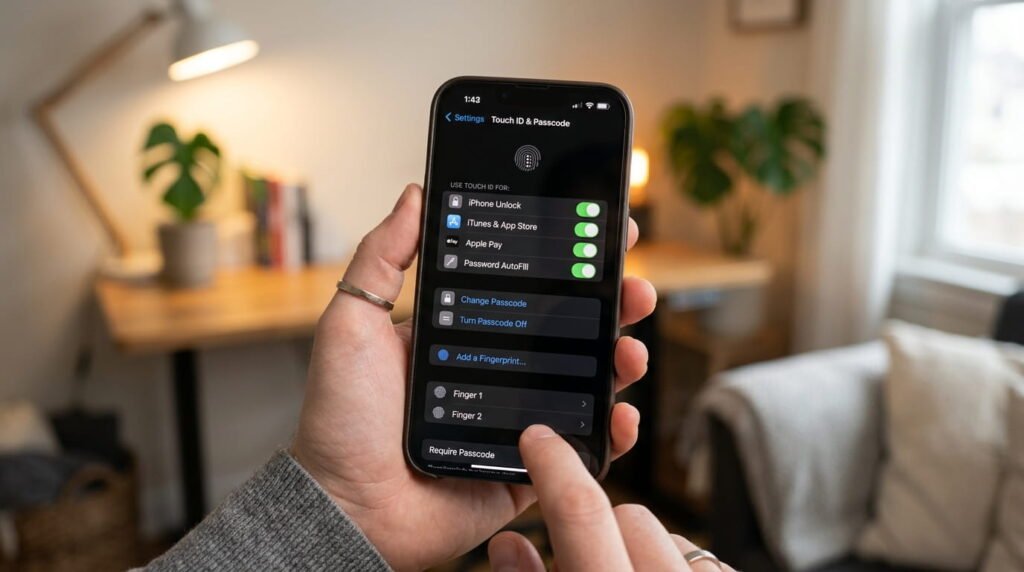
- Open Settings > Touch ID & Passcode and enter your passcode.
- Delete the existing fingerprint profile completely rather than adding a new one on top of it.
- Restart your device.
- Re-add your finger, scanning both the center pad and the outer edges at multiple angles.
When Local Repair Help Makes Sense
If you’ve worked through every software reset, updated iOS, re-enrolled your prints, and Touch ID still refuses to toggle on in Settings, hardware damage is the likely culprit.
Repair Cost Estimates:
- Apple Store (Out of Warranty): $150 – $350+ (due to paired Secure Enclave serialization).
- AppleCare+ Active: $29 flat service fee.
- Third-Party Repair Shops: $80 – $180 (ensure the technician retains the original home button home flex if preserving biometric pairing).
FAQs
Why did my Touch ID suddenly stop working?
The most common cause is temporary Secure Enclave lock or a minor iOS cache glitch following an update. Screen protector misalignment and moisture build-up are the next most frequent culprits.
Why did my fingerprint stop working after restarting?
iOS requires your manual passcode upon every initial reboot by design before re-enabling biometric authentication. Once you enter your passcode once, Touch ID will reactivate automatically.
Does replacing the home button myself restore Touch ID?
No. Apple pairs each Touch ID sensor uniquely to the motherboard’s Secure Enclave at the factory. Replacing the button with a generic third-party unit will restore click functionality, but Touch ID biometrics will remain disabled unless calibrated by Apple.
Final Verdict
Most sudden Touch ID failures come down to basic software conflicts, dirty capacitive surfaces, or corrupted enrollment data. Work through the non-invasive steps first: clean the ring, delete the old fingerprint profile, and perform a full device reboot. Only consider hardware repair if the toggle remains grayed out in your iOS Settings.
Written and verified by Tekzyro’s mobile engineering staff. All product benchmarks, thermal diagnostics, and operating system troubleshooting steps undergo hands-on device verification in compliance with our Editorial Standards and Privacy Directives.
Final Thoughts from the Author: Technology moves fast, and what I’ve written today will need updates. I’m committed to keeping this guide current and accurate.
Questions or feedback? Contact our team. Learn more about our review process on our About Us page.