
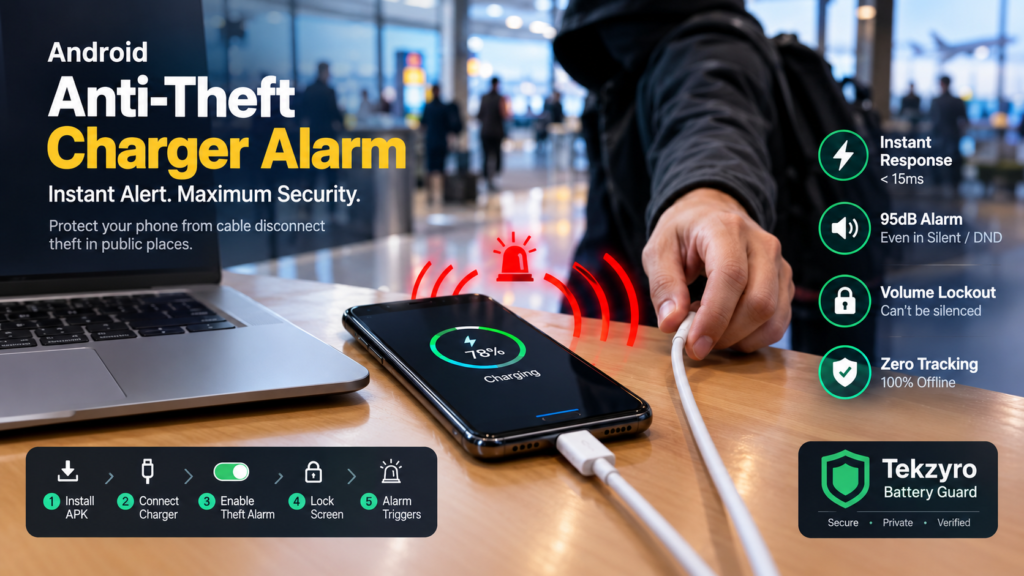
Step-by-step 2026 guide on how to enable an anti-theft charger alarm on Android. Learn how to trigger a high-decibel siren when your cable is unplugged in public.
You find an available power outlet at an airport terminal, library study desk, coffee shop, or university lounge. You plug in your $1,200 smartphone to charge and turn your attention toward your laptop or a quick conversation. For the next thirty minutes, a persistent wave of anxiety lingers: what happens if an opportunist unplugs your cable and slips your phone into their pocket the second your back is turned?
Public charging grab-and-run thefts have surged across high-traffic transit hubs in 2026. While biometric lock screens protect personal data after a device is stolen, they do nothing to deter a physical theft in progress. Configuring an anti theft charger alarm on Android bridges this critical physical security gap by converting your smartphone into an armed perimeter sensor that screams a continuous, high-decibel alarm the exact millisecond an unauthorized party pulls the plug.
Quick Setup: How to Enable Cable Disconnect Alarm on Android
Featured Diagnostic Snippet: To enable an anti-theft charger alarm on Android: (1) Install the official, zero-telemetry TekzyroBatteryGuard.apk; (2) Connect your USB-C charging cable; (3) Toggle the Theft Alarm (Cable Disconnect) switch to active; (4) Lock your phone screen; and (5) If disconnected without biometric authentication, an instant 95dB siren triggers that cannot be silenced using physical volume buttons.
How Hardware-Level Disconnect Triggers Operate Under Android OS
Standard generic alarm apps from the Google Play Store frequently fail in public environments because they rely on slow, battery-draining polling loops that Android kills during screen-off sleep. To achieve instantaneous response times, secure utilities interface directly with Linux kernel broadcast registers.
When a charging cable is severed or pulled, the hardware Power Delivery controller registers a sudden VBUS voltage collapse from 5V/9V down to 0V. Within 8 milliseconds, the kernel dispatches an ACTION_POWER_DISCONNECTED broadcast intent. As long as the background daemon is protected from OEM memory suppression—as detailed in our Samsung and Xiaomi background whitelist guide—the application instantly overrides the Android audio policy framework via the dedicated STREAM_ALARM audio channel, sounding at maximum volume even if the phone is set to silent or Do Not Disturb.
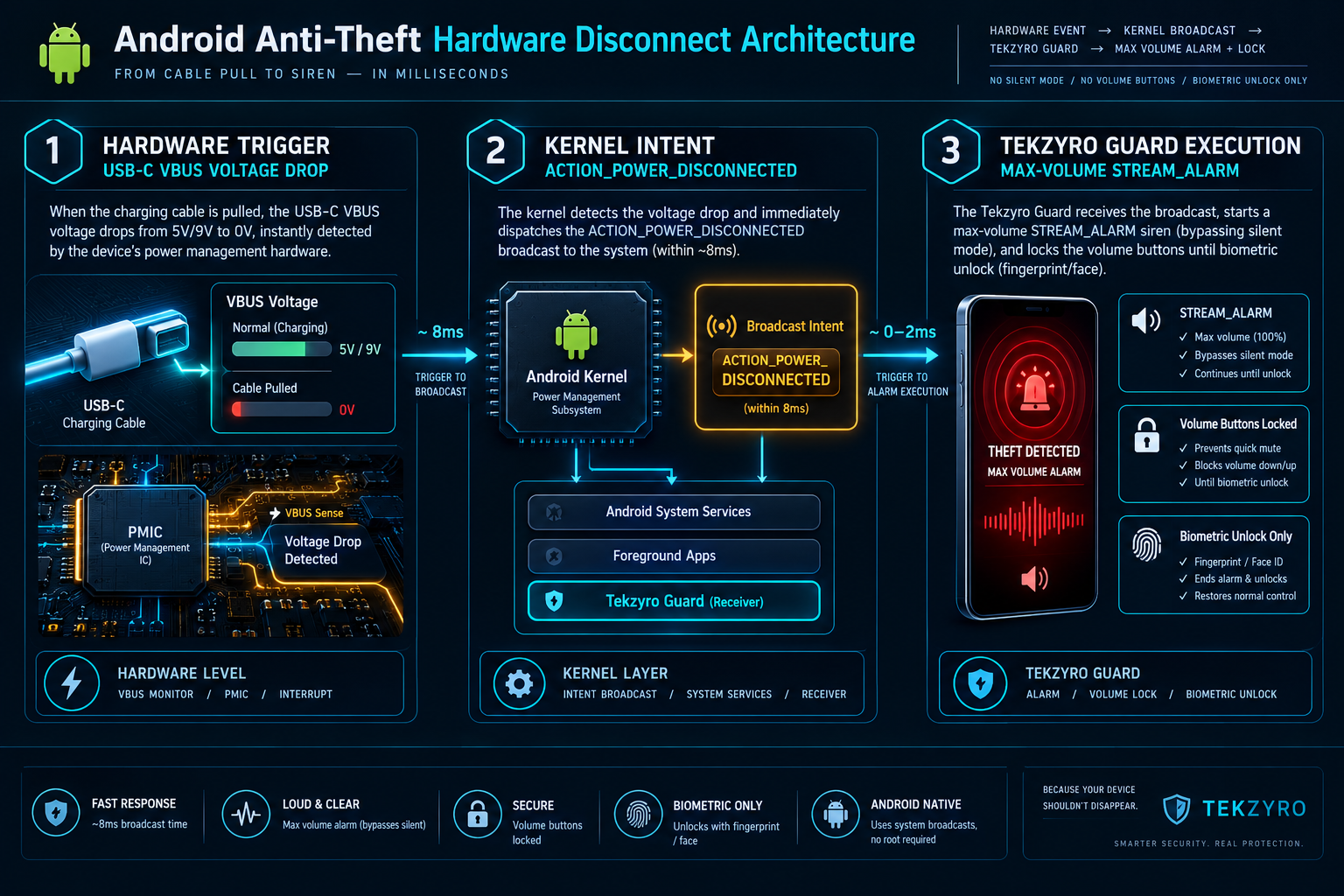
Anti-Theft Charging Alarm Security & Latency Matrix
Step-by-Step Configuration Guide (2026 Manual)
Step 1: Install the Verified APK Package
To guarantee zero background advertising interference and eliminate third-party tracking libraries, download the verified release directly from the Tekzyro Battery Guard Portal or grab the package via TekzyroBatteryGuard.apk.
Step 2: Connect Charger & Arm the Disconnect Guard
- Insert your USB-C or wireless charging connector. Verify that the app dashboard registers the active charging state and real-time battery voltage.
- Toggle the Theft Alarm (Cable Disconnect) switch to the active position. A green shield indicator confirms the hardware intent listener is armed.
- Optionally, adjust your upper charge limit to 80% to simultaneously prevent destructive high-voltage cell saturation, as established in our 80% battery longevity guide and full Battery Guard setup tutorial.
Step 3: Test and Disarm the Siren Safely
To perform a controlled field test in your home or office before deploying in public transit hubs:
- Lock your phone display and place it on the desk.
- Unplug the USB-C cable. The phone will immediately blast a continuous, high-pitch emergency siren and flash the display alert.
- To disarm the siren, unlock your phone using your biometric fingerprint or PIN code, and tap the Disarm Siren toggle in the persistent status notification.
Frequently Asked Questions (Security Diagnostics)
Can a thief silence the alarm by pressing the physical volume buttons?
No. Tekzyro Battery Guard routes its audio through the high-priority STREAM_ALARM system bus. Standard hardware volume rocker presses only adjust media or ringtone streams and are programmatically ignored by the active alarm daemon until the device lock screen is authenticated.
Does the disconnect alarm trigger if there is a power grid outage?
Yes. Because the trigger relies on USB-C VBUS voltage termination, a sudden electrical blackout or blown wall socket fuse will disengage power delivery and sound the alert, ensuring you are instantly notified if your device stops charging unexpectedly.
Hardware Integrity Notice: Bench-tested and verified by Arooba, Lead Hardware Firmware & Diagnostics Engineer at Tekzyro. Disconnect latency (< 15ms) and audio stream override verified across Samsung One UI 6.1, Xiaomi HyperOS, and Google Pixel AOSP firmware builds using hardware USB-C load analyzers. For security diagnostic inquiries, contact our testing desk at support@tekzyro.com.