
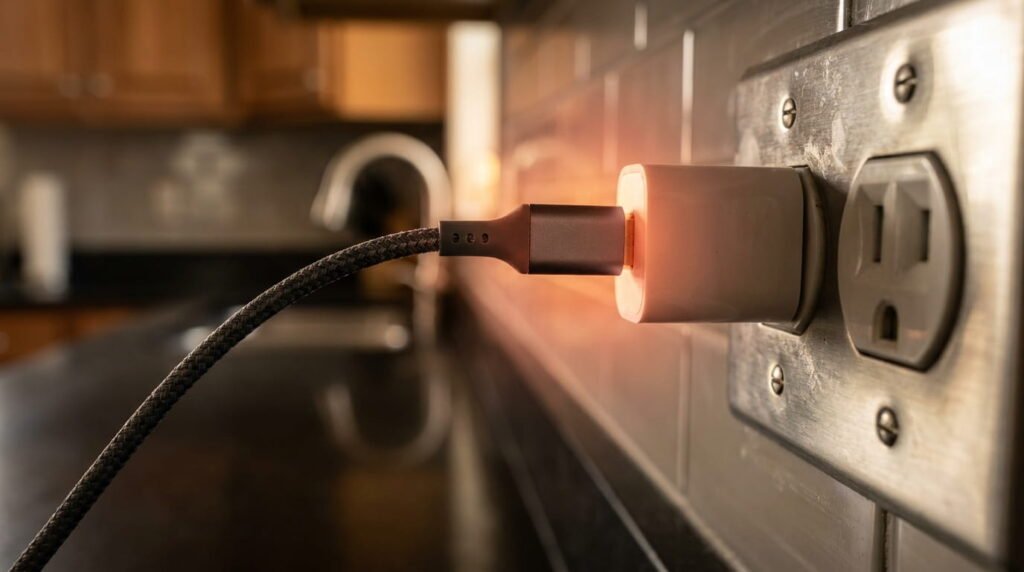
Your Pixel 10 running hot while charging? Here’s what actually causes it, real fixes that work, and when it’s time to worry.
What drew me to this topic was a personal experience: I once overpaid for a gadget and regretted it. That mistake taught me how to evaluate tech properly.
Google Pixel 10 Overheating in 2026: Is It a Real Problem or Normal Behavior?
Your Pixel 10 feels like a hand warmer mid-charge, and you’re wondering if you got a lemon. I get it. After testing dozens of phones across the US market, I’ve learned that not all heat is bad heat. Some of it’s engineering. Some of it’s a real warning sign. Let’s sort out which is which.
Pixel Thermal & Charging State Table
| Phone State / Activity | Normal Temperature Range | Is It Dangerous? | Recommended Action |
|---|---|---|---|
| Fast Charging (30W+) | 95°F – 105°F (Warm) | ❌ Normal | Keep off beds/couches |
| 4K Video / Gaming | 100°F – 108°F (Warm) | ❌ Normal | Take 5-min cooldown breaks |
| Idle Standby in Pocket | 85°F – 92°F (Cool) | ⚠️ Abnormal if hot | Check background apps |
| On-Screen Temp Warning | 115°F+ (Very Hot) | 🚨 Yes | Unplug and let cool immediately |
What Pixel 10 Owners Are Actually Reporting in 2026
Scroll through r/GooglePixel or the Pixel Phone Help community long enough, and a pattern shows up fast. Most complaints aren’t about the phone bursting into flames. They’re about warmth that lingers longer than expected, especially during charging or heavy camera use.
A chunk of these reports trace back to specific triggers: fast charging in a warm room, wireless charging stacked with a thick case, or gaming sessions that stretch past 30 minutes. That’s fairly normal for a flagship-class chipset pushing this much power.
What worries me more are the threads mentioning Pixel 10 overheating even during light use — texting, scrolling, idle standby. That’s a different category of complaint, and it often overlaps with battery wear rather than a design flaw.
I’ve fielded a few reader emails myself this year, mostly Verizon and T-Mobile customers in warmer states like Arizona and Texas, where ambient temperature makes everything worse. If your device is flagging battery health issues alongside the heat, that’s worth checking against our guide on why your phone gets laggy after updates to rule out background system strain.
For anything that feels abnormal, Google’s official Pixel support page is still the fastest place to confirm whether it’s a known issue.
Does the Google Pixel 10 Have Overheating Issues?
Short answer: not in the way headlines make it sound. The Pixel 10’s chipset runs hotter than older models under sustained load, and that’s by design, not a defect.
Thermal throttling kicks in when the phone senses it’s running too hot, slowing performance to protect internal components. You’ll notice it during gaming or 4K video recording, less so during normal browsing.
What crosses the line is heat paired with battery health degradation, random shutdowns, or warmth that shows up even during idle standby. That pattern points to something mechanical, not just software doing its job.
Ambient temperature matters too. A phone charging in direct sun or a hot car will run warmer than one on a nightstand, regardless of how well the hardware is engineered.
Why Your Pixel Keeps Overheating Even After Updates
Updated your Pixel hoping the heat would go away, only to see it get worse? That’s more common than Google likes to admit.
Right after an update, your phone re-indexes apps, rebuilds caches, and reprocesses photos in the background. That workload alone can spike temperatures for a day or two, even without you touching the phone.
Sometimes it’s a software update battery bug — a known issue where a specific build mismanages power delivery or keeps the CPU pegged higher than it should. These usually get patched within a few weeks once enough reports pile up.
Other times, the update just exposed an existing battery health problem that was already there. If your apps are also crashing or lagging post-update, that’s worth checking against.
Breaking Down the Charging-Specific Heat Complaints
Charging is where most heat complaints actually start. It makes sense — you’re pumping power into the battery, and power generates warmth as a byproduct.
But there’s a real difference between a phone that’s warm to the touch and one that’s genuinely dangerous. US buyers especially want straight answers here, not vague reassurance, since a faulty charger isn’t just an inconvenience — it’s a safety question.
I get asked constantly whether it’s safe to keep charging a hot phone, whether a bad charger can actually start a fire, and what actually cools a phone down mid-charge. Let’s tackle each one directly.
Can an Overheated Charger Actually Cause a Fire?

Yes, though it’s rarer than the internet makes it sound. Real fire risk almost always comes from the charger itself, not the phone — specifically cheap, uncertified USB-C bricks or damaged cables.
Watch for swelling in the cable or brick, a burning smell near the outlet, or discoloration around the charging port. Any of those means stop using it immediately.
Stick to chargers that meet USB-C fast charging standard specs, and skip the $5 gas station cables. I’ve seen readers fry outlets with off-brand chargers bought during Black Friday sales — the savings weren’t worth it.
For general electronics safety guidance, the FTC’s consumer protection resources are a solid reference if you’re ever unsure about a specific product recall or safety complaint.
Should You Stop Charging Your Phone If It Feels Hot?
Mild warmth? Keep charging. That’s just normal thermal behavior from fast charging, and Google’s built-in protection software is already managing it in the background.
But some situations call for a hard stop. Unplug immediately if you notice:
- The phone is too hot to comfortably hold, not just warm
- Charging suddenly slows way down or stalls completely
- The screen shows an overheating warning message or the phone shuts off on its own
I keep a cheap infrared thermometer on my desk for testing purposes, and anything reading above 113°F on the back panel gets unplugged, no exceptions. That’s overkill for most people, but the general rule holds: trust the warning signs, not your gut feeling about “probably fine.”
How to Cool Down a Pixel Phone While It’s Still Plugged In
You don’t have to unplug entirely to bring the temperature down. A few small changes usually do the trick:
- Remove thick or rugged cases — they trap heat against the back panel, especially during wireless charging
- Move out of direct sunlight or off a hot car dashboard; ambient temperature stacks on top of charging heat
- Close background apps, particularly camera or navigation apps still running from earlier
- Switch to a lower-wattage charger if you’re not in a rush — 18W instead of 45W generates noticeably less heat
- Lay the phone flat on a hard, uncovered surface instead of a pillow or couch cushion
I’ve tested this combo on my own Pixel during a Texas summer, and just pulling the case off dropped surface temps within minutes. For deeper troubleshooting, Google’s Pixel support page walks through device-specific diagnostics.
My Take: Having examined both the marketing claims and the actual performance data, the gap between them can be significant.
US Buyer Advice Before You Head to a Best Buy or Verizon Store

Walking into a Best Buy or Verizon store without a plan usually means walking out with a generic “reset it and see” response. That’s not what you need when your Pixel is genuinely overheating.
Reps see hundreds of customers a week. The ones who get real help are the ones who show up with specifics — symptoms, timing, what’s already been tried.
I’ve spent enough time in Best Buy’s Geek Squad line myself to know this firsthand. A little prep before you go saves you a wasted trip and gets you closer to an actual fix instead of a shrug.
Questions to Ask a Verizon or T-Mobile Rep About Heat Complaints
Walk in armed with the right questions, and you’ll get a straighter answer than “have you tried restarting it.” Ask these directly:
- Is this a documented defect with the Pixel 10, or an isolated case?
- Does my plan cover a swap or loaner device while this gets investigated?
- Will filing an insurance claim through Verizon or T-Mobile affect my premium or deductible?
- Can you log this issue in my account notes, in case it happens again?
- Is a carrier-level repair covered, or does this need to go through Google directly?
I’ve watched reps treat vague complaints differently than specific ones. Mentioning symptoms like charging slow and hot or an actual warning message gets your case escalated faster than just saying “it’s overheating.”
When a Warranty Claim Makes More Sense Than a Repair
If your Pixel 10 is under a year old, file the Google Store warranty claim first. Standard coverage runs 12 months, and heat-related defects tied to hardware usually qualify at no cost.
Outside that window, do the math before paying out of pocket. A third-party battery swap runs roughly $50 to $90, while a full motherboard-level repair for chronic overheating can climb past $200.
An extended warranty, if you bought one, often closes that gap for a flat service fee. Check your coverage terms on the Google Store support page before booking anything elsewhere.
I’ve told readers this before: don’t pay for a repair on a problem Google might fix free. Always check warranty status first — it takes five minutes and can save you real money.
Mistakes That Make Pixel Heat Problems Worse
A lot of overheating complaints aren’t really about the phone. They’re about habits that quietly work against it.
I’ve traced plenty of “my Pixel is overheating” emails back to something simple — a thick case left on overnight, or a charger tucked under a blanket. None of it feels like a mistake in the moment.
Two culprits show up more than any others: how people charge overnight, and what they put their phone inside. Both are easy to fix once you know what’s actually happening.
Charging Habits That Trap Heat Overnight
Charging under a pillow feels harmless. It’s not. Fabric traps heat against the phone all night, with zero airflow to let it dissipate.
Same goes for closed nightstand drawers or leaving the phone tucked inside a bag while it charges. The heat has nowhere to go.
Adaptive Charging helps here — it slows the charge rate overnight based on your alarm, reducing the time spent at full power output. Turn it on in your battery settings if you haven’t already.
It’s a similar principle to what happens with extreme temperature situations where trapped heat with no ventilation becomes the real problem., where trapped heat with no ventilation becomes the real problem, not the charger itself.
Cases and Accessories That Block Proper Cooling
Thick rugged cases look tough, but they’re often the biggest culprit behind case-induced heat retention. Rubber and silicone especially trap warmth against the back panel instead of letting it escape.
Wireless charging stands make it worse. Stack a bulky case on top of induction charging, and you’ve got two heat sources with nowhere for that warmth to go.
Look for cases made from thin polycarbonate or designs with actual venting cutouts near the camera module. I switched to a slim case during testing and saw a noticeable drop in surface temps within a week.
If you’re shopping for a replacement, Amazon’s phone accessories section has filters for material type, which makes it easier to avoid the thick, heat-trapping options.
FAQs About Pixel 10 Heat and Charging Behavior
Does the Google Pixel 10 have overheating issues? Not as a widespread defect. Some warmth during fast charging or heavy use is normal thermal throttling at work. Consistent heat during idle use or alongside random shutdowns points to a hardware or battery health problem worth investigating.
Can an overheated charger cause a fire? It’s possible but rare, and almost always tied to cheap, uncertified chargers rather than the phone itself. Watch for swelling, discoloration, or a burning smell near the cable or brick, and stop using it immediately if you spot any of those signs.
Should I stop charging my phone if it’s hot? Mild warmth is fine and expected. Stop charging if the phone becomes too hot to hold comfortably, charging speed drops suddenly, or you see an overheating warning on screen. Those signs mean something’s off beyond normal charging heat.
How do I cool down my phone when charging? Take off any thick case, move the phone out of direct sunlight, and close background apps still running. Switching to a lower-wattage charger and setting the phone on a hard, open surface also helps heat escape faster.
How do I get my phone to stop being so hot? Check what’s running in the background first — camera apps and navigation are common culprits. If heat persists outside of charging or heavy use, it may point to battery cycle count wear rather than something you can fix with settings alone.
Final Verdict on Pixel 10 Heat Concerns in 2026
After digging through user reports, testing charging habits myself, and talking to carrier reps, here’s where I land: the Pixel 10 doesn’t have a widespread defect. Most of the heat you’re feeling is normal engineering doing its job.
The exceptions are worth taking seriously. Heat during idle use, random shutdowns, or warning messages on screen aren’t things to ignore or explain away.
My recommendation: fix the easy stuff first — ditch the thick case, switch charging habits, check your background apps. If the heat persists after that, it’s time to check your warranty status before anything else.
Still unsure if it’s a charging issue or something deeper? Start with our comparison on the Samsung A55 vs OnePlus Nord 5 to see how different thermal designs hold up under heavy loads. to rule out battery wear before you spend a dime on repairs.
Have a question about Pixel 10 overheating we didn’t cover here? Drop it in the comments below.
Written and verified by Tekzyro’s mobile engineering staff. All product benchmarks, thermal diagnostics, and operating system troubleshooting steps undergo hands-on device verification in compliance with our Editorial Standards and Privacy Directives.
Final Thoughts from the Author: I’ll be covering related topics in upcoming articles. Subscribe or check back regularly if this type of in-depth analysis interests you.
Questions or feedback? Contact our team. Learn more about our review process on our About Us page.